블로그 이미지
안녕하세요? 이안입니다. 과학의 모든것을 좋아합니다. 이안김

카테고리

분류 전체보기 (499)
NOTICE (12)
SALE (8)
자유 게시판 (41)
◆ APPLE II (55)
◆ SD Smart Drive (15)
◆ SD DISK II (71)
◆ SD Music card (31)
◆ SD MIDI ][+ (23)
◆ Mockingboard 4c (22)
◆ Hyperion 512K RAM+ (5)
◆ Accelerator (10)
◆ PS2 Adapter (9)
◆ Z80 Card (24)
◆ APMSX (29)
◆ APV40 (0)
◆ FC-150 (15)
◆ i86 PC (20)
◆ MPU 관련 (9)
◆ CPLD (1)
◆ RF (5)
◆ 진공관및 오디오 (28)
◆ AutoBike (13)
◆Other (28)
비공개 연구실 (0)
★ 개인방 (1)
스크랩 (0)
임시보관함 (0)
Total
Today
Yesterday

달력

« » 2026.6
1 2 3 4 5 6
7 8 9 10 11 12 13
14 15 16 17 18 19 20
21 22 23 24 25 26 27
28 29 30

최근에 올라온 글

'2026/06/05'에 해당되는 글 3건

  1. 2026.06.05 IMS Player for SD Music(Plus) card
  2. 2026.06.05 IMS PLAYER for the Apple IIe
  3. 2026.06.05 Firware V2.76E for SD DISK][PLUS

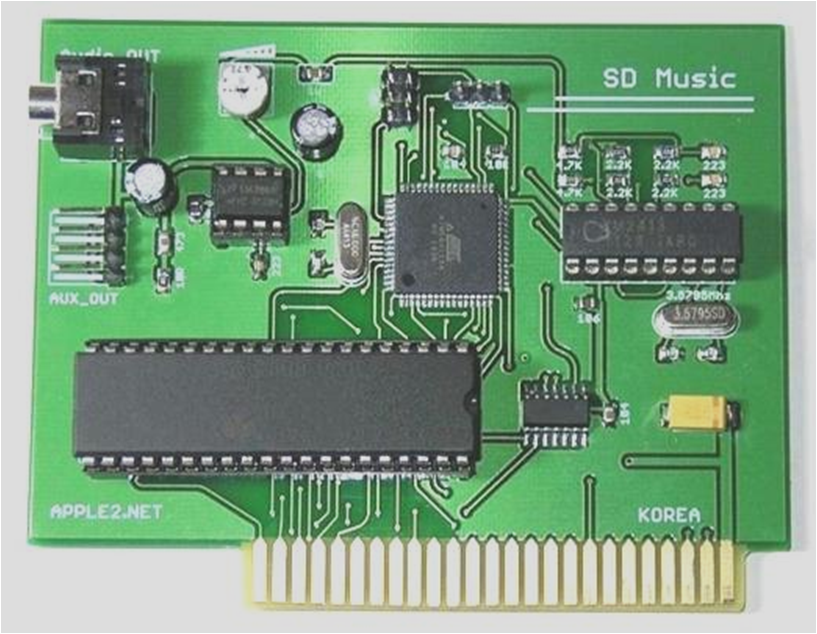
I have also decided to implement an IMS player for my legacy Music Card.

Currently, I am developing an IMS player for the SD Music and SD Music Plus cards.


With this player, you will be able to play IMS song files directly using your card


Thank you for purchasing the SD Music card!


Old version of the card needs to be updated firmware.


Best regards,

Ian Kim


Posted by 이안김
, |

IMS PLAYER for APPLE II

IANKIM


I have finally completed IMS PLAYER for the Apple IIe.

This is the only IMS music player that runs on the Apple IIe.
I put almost every feature I could possibly implement into it.


Main Features

Unlimited Music File Size Playback

IMS PLAYER uses a HIDDEN READING method, allowing even very large IMS files to be played all the way to the end without file size limitations.


Massive Instrument Support

Each IMS file can use up to 128 instruments.

Instrument search is performed in two stages:

  1. First, IMS PLAYER searches for a BNK file with the same name as the IMS file.
  2. If some instruments are still missing, it searches again in STANDARD.BNK.
  3. If the instrument still cannot be found, it plays using the default selected instrument sound.

The larger the BANK file, the longer the search time.

Example:

  • 160KB BANK file / about 4,000 instruments: about 4 seconds
  • 670KB BANK file / 15,867 instruments: about 11 seconds

For an 8-bit computer, this is very fast. ^^;
While making an IMS player, I somehow ended up building a database search engine.

At first, searching instruments in a 160KB BANK file took 33 seconds.
In the final version, it was reduced to about 4 seconds.


Original Stereo Mode

IMS PLAYER supports my own STEREO ON/OFF function, designed to preserve the original character of the music as much as possible.

It first assigns instruments to left, center, or right based on the instrument names, then dynamically rearranges them in real time using my own algorithm depending on the music.

It does not ruin the original feel of the song, and it creates a pretty nice harmonic stereo effect.


Powerful Storage Expansion

An HDD is required, and up to 8 HDD volumes are supported.

In the demo screen, two 32MB HDDs are connected through emulation.


Visual UI Elements

Using an optimized ISR interrupt routine, IMS PLAYER supports:

  • 11-channel level meter
  • Progress bar at the bottom of the screen

Complete Percussion Support

Percussion is fully supported.


Fast and Intuitive UI & Jukebox

Up to 384 IMS files can be displayed in a single directory.

Non-displayed files such as BNK files do not count toward this limit.

IMS PLAYER also supports a JUKEBOX function, allowing continuous playback upward or downward through the file list.

You can put your favorite songs into one folder, start playback, and leave it running while doing something else.

Pause and volume control are also supported.
Very useful when you get a phone call.


Required System

Hardware:

  • Apple IIe
  • 65C02 CPU
  • 64KB RAM or more

Sound card:

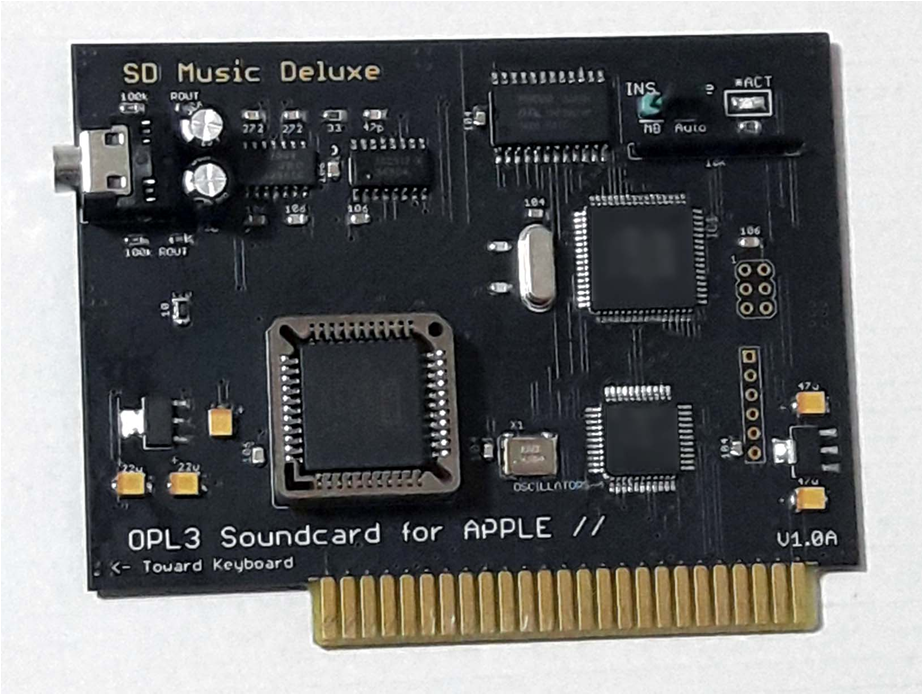
  • SD Music Deluxe OPL3 card is required
  •  

Development Note

During development, I also implemented a file sorting function.

However, it was not very useful in real use and only consumed memory, so I boldly removed it from the final version.


IMS PLAYER will soon be uploaded to the link previously provided to SD Music Deluxe card buyers.

Development was not easy and took a lot of effort.
If you enjoy this software, even a small donation would be greatly appreciated.

For questions, please contact me by message or email.

Now, please enjoy the real Apple IIe demonstration.

Real hardware used:

  • Apple //e
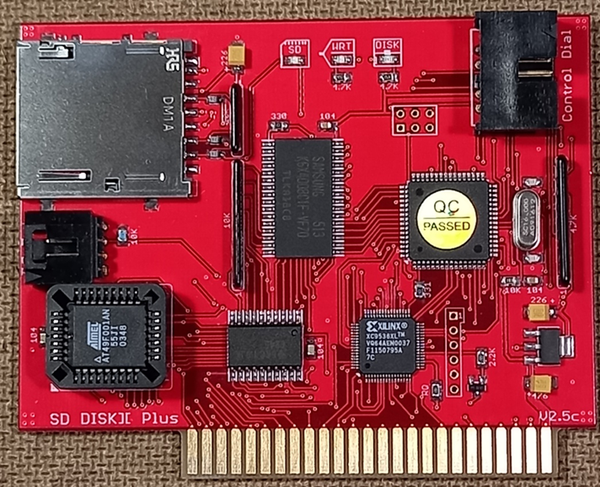
  • SD DISKII Plus
  • SD Music Deluxe card

IMS Player for Apple II


https://youtu.be/k6lBFk7fZlY


'◆ SD Music card' 카테고리의 다른 글

IMS Player revising  (0) 2026.05.24
IMS Player was started  (0) 2026.05.16
VGM Player Level meter  (0) 2026.05.10
VGM Player V1.25B  (0) 2022.05.12
Playing IMF music files on VGMPlayer V1.24  (0) 2022.05.09
Posted by 이안김
, |

      SD DISK][PLUS 


1.  FILE MANAGER V2.76A

A more powerful SD memory file manager

  • File filtering: only loadable files are shown depending on FDD / HDD mode.
  • Greatly increased file display capacity: 1,500+ files, which is practically enough.
  • / SWAP function: swap D1 <> D2 files.
  • Key input is not case-sensitive.
  • Screen automatically refreshes after deleting a file.
  • Fixed the MORE display [+] bug.
  • Image file size is displayed in KB / MB.
  • Removed <VOL> display.


2.  Smart Cache Bug Fixes and Improvements

Fixed a possible write problem caused by an error in the write-back cache function when using HDD mode.

Smart Cache and several other parts have been accelerated using ASM.

SmartPort support is ready.
It will work immediately after upgrading the ROM chip BIOS.

Expanded HDD capacity:

When supported by the OS, up to 512MB HDD read/write per drive is possible.
ProDOS itself has a 32MB limit.

This version also includes fast FDD reading.
However, depending on the NIB image, some images may still read very slowly.

If you copy the disk again using a disk tool on the Apple II, it will be automatically optimized.

You can overwrite the disk image with itself using copy tools such as Disk Muncher V1.0 or Copy II Plus.

  • Supports many FDD disk copy programs

Tested/supports many programs without write errors, including:

Disk Muncher 1.0, Crazy Copy V1.0, Copy II Plus, and many others.


Other Minor Bug Fixes and String Cleanup


Attached file:

SDBIOS.ROM
0.11MB


How to udate firmware

  • Copy the file to the root directory of the SD memory card.
  • When booting the Apple II, press [S] at boot to enter the SD FILE MANAGER.

Press *, then press Y.


This version has not been fully tested yet, so bugs may still exist.


Please let me know if you find any bug, and I will reflect the feedback in future updates.


'◆ SD Smart Drive' 카테고리의 다른 글

SD Smart Drive 한글 메뉴얼  (0) 2024.01.03
SD Smart Drive Firmware V1.18Z  (0) 2019.08.04
SD Smart Drive firmware V1.18W  (0) 2017.03.16
Smart port drive on APPLE IIGS  (0) 2016.07.09
Firmware V1.18S  (0) 2016.06.20
Posted by 이안김
, |

최근에 달린 댓글

최근에 받은 트랙백

글 보관함